Ugreen FineTrack Duo Review – Android & Apple iOS Bluetooth Tracker
I have reviewed several Bluetooth trackers over the years, including options from TrackR, Chipolo and Tile. While Tile has been my preferred choice among third-party trackers, I have always found it frustrating to be locked into a proprietary app rather than using native tracking functionality.
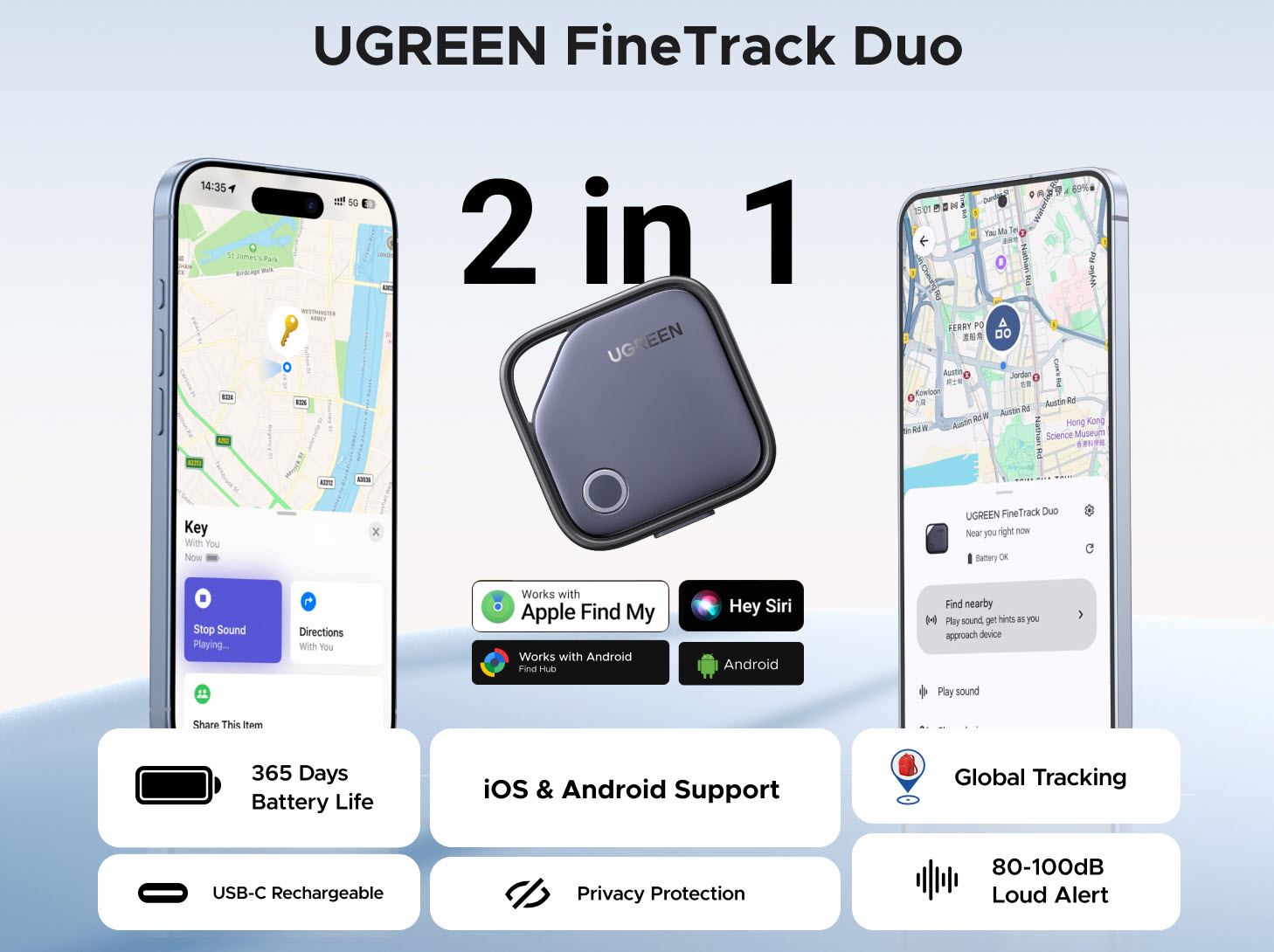
The Ugreen FineTrack Duo is one of the first trackers on the market to support both Apple Find My and Google Find Hub, making it particularly interesting for households with mixed device ecosystems or users who switch between platforms when upgrading phones. I tested it primarily with Android devices but also verified the Apple Find My functionality using an iPhone.
Design and Build Quality
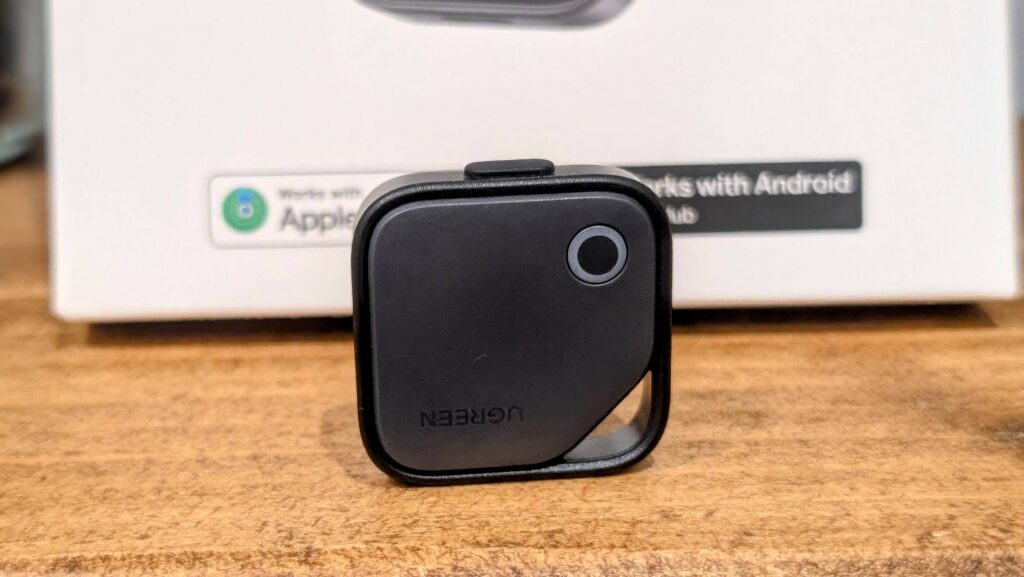
The FineTrack Duo features a compact circular design with a built-in keyring hole, so you do not need to purchase a separate holder or case to attach it to your keys or bag. The build quality feels solid and the plastic construction seems durable enough for everyday use. The overall aesthetic is understated and unobtrusive, which is exactly what you want from something that will be attached to your belongings.
One of the standout features is the USB-C rechargeable battery. I find this significantly more convenient than swapping out small coin batteries that you get with trackers such as Tile and the Apple AirTag. Anyone who has tried to open one of the earlier Ugreen Samsung SmartThings trackers will know they can be frustratingly difficult to access for battery replacement. The USB-C port is protected by a rubber cover, which is necessary to prevent liquid ingress. You will want to keep this cover on whenever you are not charging the device, particularly if you plan to attach it to items that might be exposed to rain or moisture.
Setup Process
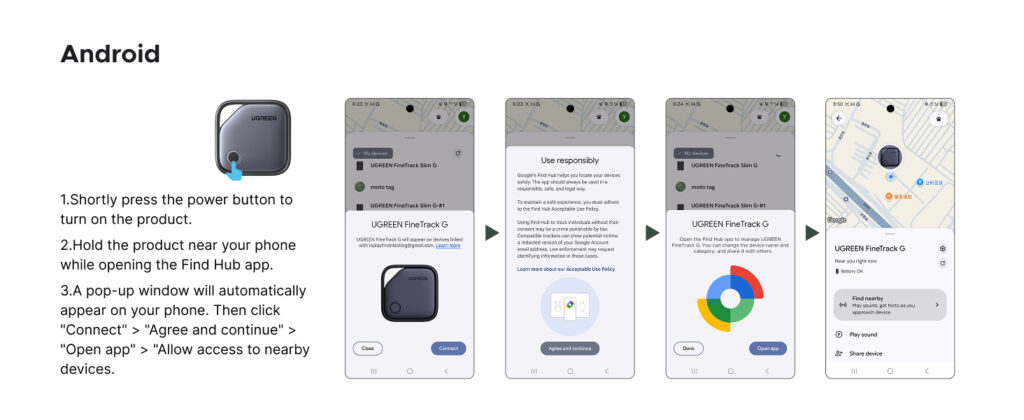
For Android users, the setup process is straightforward. Open or install the Google Find Hub app, press the button on the tracker, and the app should show a pop-up to connect. You can then rename and categorise it. The whole process takes under five minutes and requires no technical knowledge.
It is worth noting that some users have reported pairing issues with certain Android devices, particularly some Pixel phones. From community feedback I have seen, these issues can often be resolved by clearing the Find Hub app cache, toggling Nearby Device Permissions off and on again, or checking the Google Services settings. If you encounter issues, firmware updates may also help, though Ugreen does not currently offer a dedicated app for this – something that frustrates some users.
For iPhone users, setup is equally simple. Press and hold the power button for two seconds to activate pairing mode, bring the tracker near your iPhone, and open the Find My app. The tracker then immediately begins working with Apple’s Find My network.
Performance on Android
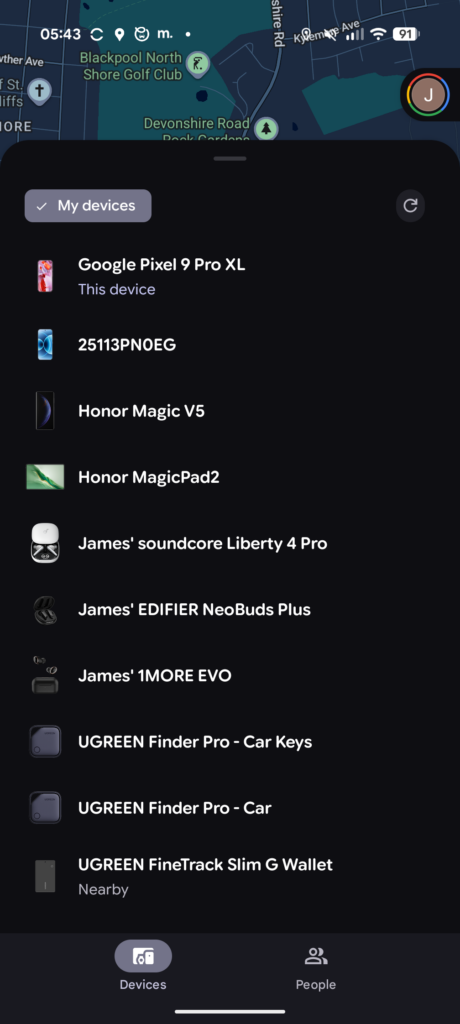
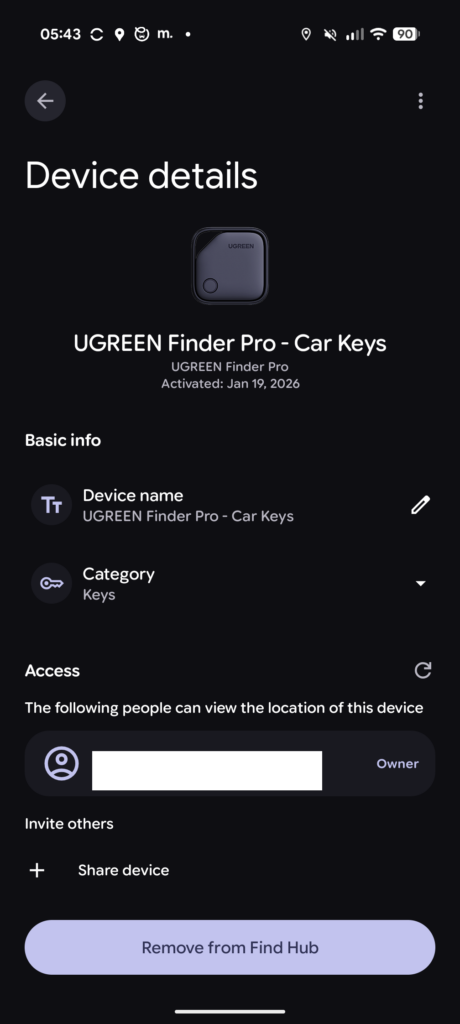
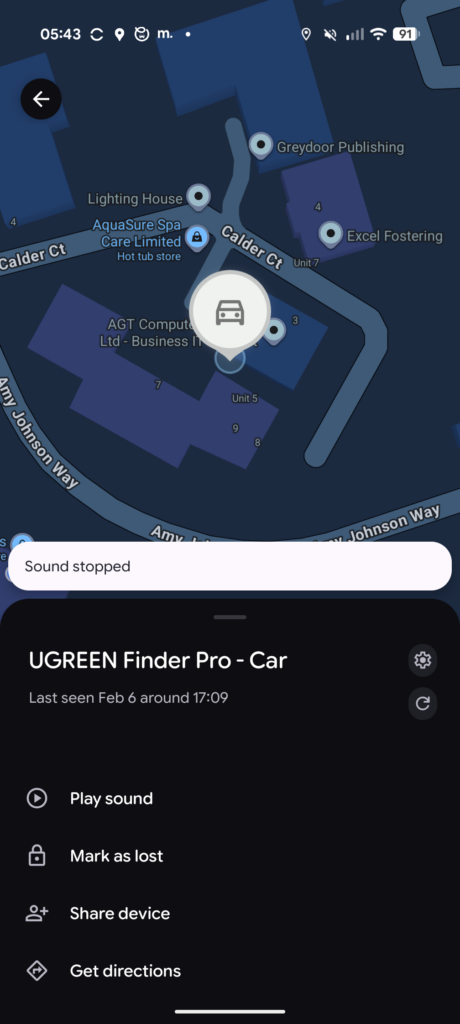
The Android Find My network is not as good as the Apple version. Google requires users to opt in and the default selected option is no, which means the network of devices that can help locate your tracker is significantly smaller than Apple’s equivalent. If you are using this tracker with an Android phone, you will likely have a less reliable experience for long-range tracking compared to iPhone users.
I live in a town rather than a major city, so I had reasonably low expectations of being able to track the FineTrack remotely. As an experiment, I placed it in my partner’s car (I prewarned her), and while she was at work, I was able to correctly identify the tracker’s location. This demonstrated that the cross-platform nature of having millions of Apple devices in the network can help locate even an Android-paired tracker, as the Bluetooth signal is picked up by any compatible device.
The 80dB speaker is very effective at helping locate the tracker when you are in range of hearing it. The sound is loud enough to hear through a bag or from another room, which is exactly what you need when searching for misplaced items. However, this is notably quieter than the Chipolo Pop’s 120dB speaker.
The left-behind alerts functionality may not work as reliably as on dedicated Apple Find My trackers. Google Find Hub does not yet fully support this feature in the same way Apple does, so your experience may vary. This is a platform limitation rather than a fault of the Ugreen hardware.
Performance on Apple iOS
Testing the FineTrack Duo with an iPhone provided a noticeably smoother experience. Apple’s Find My network is substantially larger and more reliable than Google’s equivalent, with the majority of iPhone users having the network enabled by default. The tracker pairs quickly with iOS devices and integrates seamlessly into the Find My app alongside any AirTags or other Find My accessories you might have. The left-behind alerts work as expected on iOS.
The main limitation compared to Apple’s own AirTag is the lack of Ultra Wideband (UWB) support. AirTags offer Precision Finding on compatible iPhones, which gives you a precise direction and distance indicator when you are close to the tag. The FineTrack Duo relies solely on Bluetooth, so once you know your item is nearby, you have to rely on the audible ring to pinpoint its exact location. For most use cases this is absolutely fine, but if you frequently lose items in places where an audible beep might not be enough, the AirTag’s precision finding is a clear advantage.
Battery Life and Charging
Ugreen claims 12 months of battery life, which is the same as the Tile Pro and Apple AirTag (2nd generation). This is significantly worse than trackers with non-replaceable batteries, such as the Tile Mate at 3 years or the Ugreen FineTrack Slim Wallet at 5 years. However, I much prefer the USB-C charging to having to remember to swap out coin cell batteries. The convenience of being able to charge it with the same cable you use for your phone or laptop is a genuine quality of life improvement.
Real-world battery life will depend heavily on how often the tracker is pinged and how frequently it communicates with the network. I have not had the FineTrack Duo for long enough to verify the 12-month claim, but my Tile Pro from over 2 years ago is still going, as I rarely use it actively.
One consideration is that trackers with non-removable rechargeable batteries cannot be placed in checked luggage on most airlines. If you plan to use this tracker for suitcases, you may want to opt for a model with a removable CR2032 battery instead, as airline regulations generally prohibit devices with unremovable lithium batteries in the cargo hold.
Price and Alternative Options
The Ugreen FineTrack Duo has an RRP of around £45 for a 4-pack, with typical street prices around £30 at the time of writing. This makes it one of the more affordable options for a tracker that works with both ecosystems. For comparison, the Apple iOS only model is around £20 and the Android variant is approximately £40 RRP. These single-ecosystem options are slightly cheaper but lock you into one platform.
The Chipolo Pop is the main competitor offering dual Apple Find My and Google Find Hub support, costing around £30 for a single unit or approximately £90 for a 4-pack. The Chipolo offers a louder 120dB speaker, a longer 300ft Bluetooth range, IP55 water and dust resistance, and a replaceable CR2032 battery. However, it is notably more expensive per unit.
A four pack of Apple AirTags is around £70, which offers the best tracking experience for iPhone users thanks to UWB precision finding and the massive Find My network. Samsung Galaxy SmartTag2 four pack is around £48, which is excellent for Samsung phone users but limited to a single ecosystem. For Tile, the Mate four pack is around £65 or the Mate Pro is around £80. Tile works across both platforms but uses its own proprietary network rather than Apple Find My or Google Find Hub, which in my experience offers inferior tracking coverage in most areas.
Overall
The Ugreen FineTrack Duo is an excellent Bluetooth tracker, but there are several caveats to consider before purchasing. The benefits of a tracker that supports both iPhone and Android are perhaps a bit limited in some scenarios. It is good for people who switch between brands when they upgrade phones or for households where different family members use different ecosystems. The dual compatibility helps reduce waste, as you do not need to throw away and replace your trackers if you switch platforms.
For iPhone users, the Apple AirTag is going to be a superior solution due to the UWB support and Precision Finding capability. If you are committed to the Apple ecosystem and do not anticipate switching to Android, the AirTag is the logical choice despite being slightly more expensive per unit. Similarly, Samsung users are better served by the SmartThings network and Samsung’s own tags.
For other Android brands, I think the case for the FineTrack Duo is more clear-cut. The pricing is very attractive for Android Bluetooth trackers, Ugreen are a reputable brand, the build quality is good, and I am a big fan of the USB-C charging. While the Android Find My network may not be as good as Apple’s, I find it superior to Tile in terms of coverage where I live.
The lack of a dedicated Ugreen app is something that may frustrate some users, particularly if firmware updates are needed or if you want additional features beyond what the native Find My or Find Hub apps provide. Competitors like Chipolo offer a companion app with extra features like reverse phone finding and customisable ringtones.
Overall, the FineTrack Duo works well, it is ideal for Android users or mixed-ecosystem households, and the attractive pricing makes it easy to give a strong recommendation. If you are looking for a budget-friendly tracker that will work regardless of which phone platform you use now or in the future, the Ugreen FineTrack Duo is a solid choice.