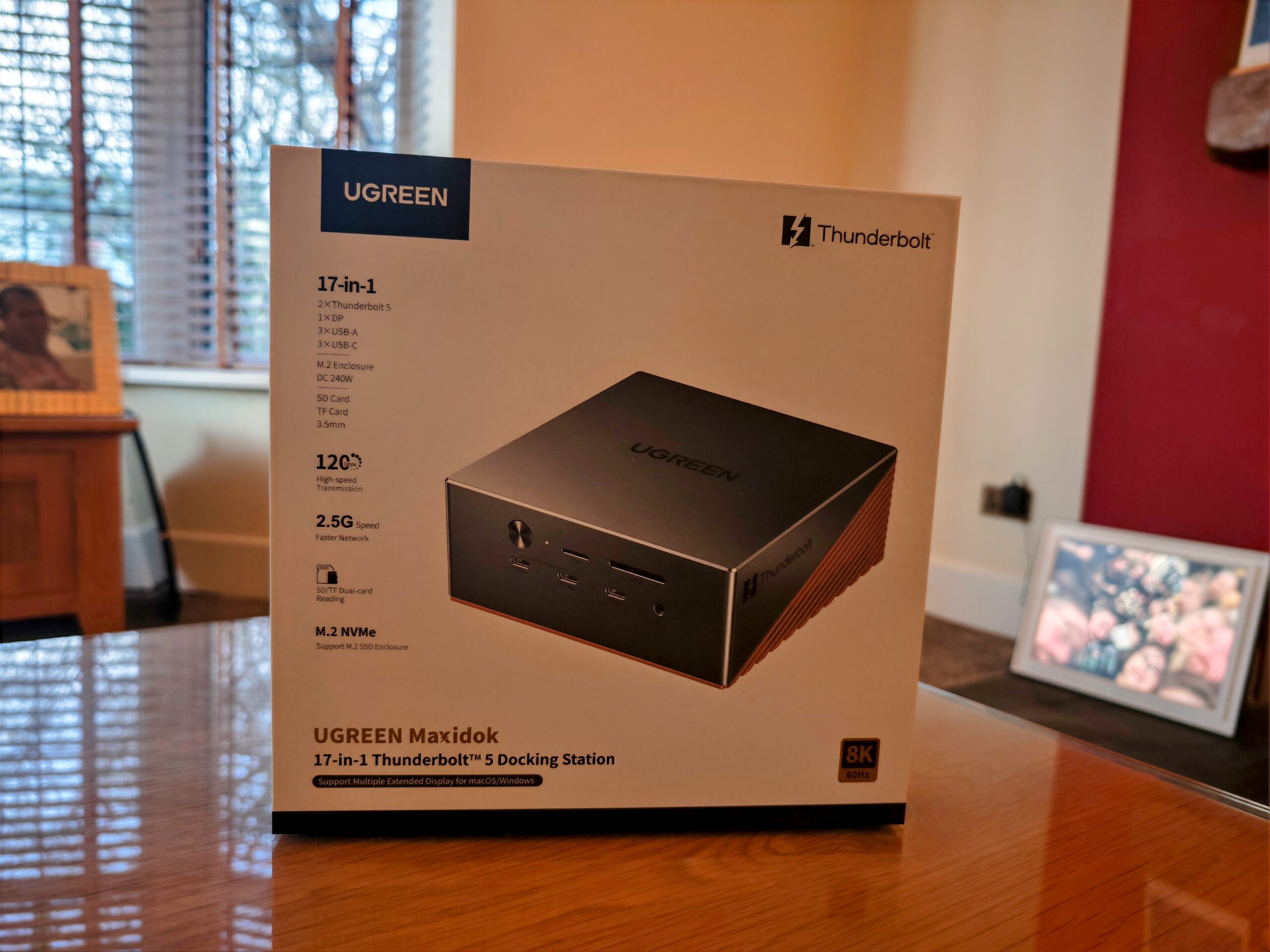
Ugreen Maxidok 17-in-1 Thunderbolt 5 Docking Station Review
The Thunderbolt 5 docking station market has matured considerably over the past year. I have reviewed the Startech Thunderbolt 5 Universal Docking Station and the Anker Prime TB5 Docking Station, and both represent solid, well-priced options at the mid-range of the market. The Ugreen Maxidok 17-in-1 is going after a different buyer – one who needs more ports, more power, and wants built-in NVMe storage without a separate enclosure taking up desk space.
Ugreen has launched three TB5 docks as part of the Maxidok range. The 17-in-1 is the flagship. There are also two 10-in-1 options: a general-purpose dock and one designed specifically for the Mac mini. The 10-in-1 general dock is priced at £250 RRP (early bird £200) and strips things back considerably – dropping the USB-C ports, reducing Ethernet to 1GbE, and using a smaller 140W power adaptor. The Mac mini version adds an M.2 slot but lacks Ethernet and audio, and does not provide any upstream charging to the host. For users who just need a functional TB5 hub without the premium feature set, either 10-in-1 model is worth considering before jumping to the 17-in-1.
Specifications and Port Layout
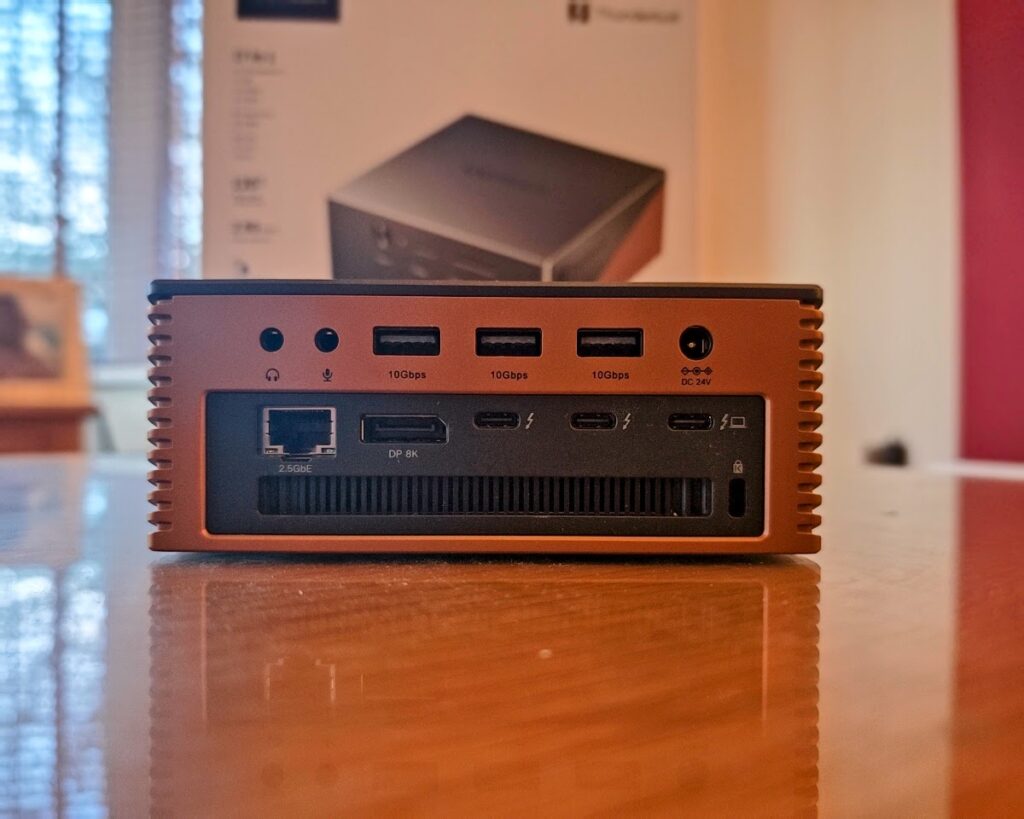
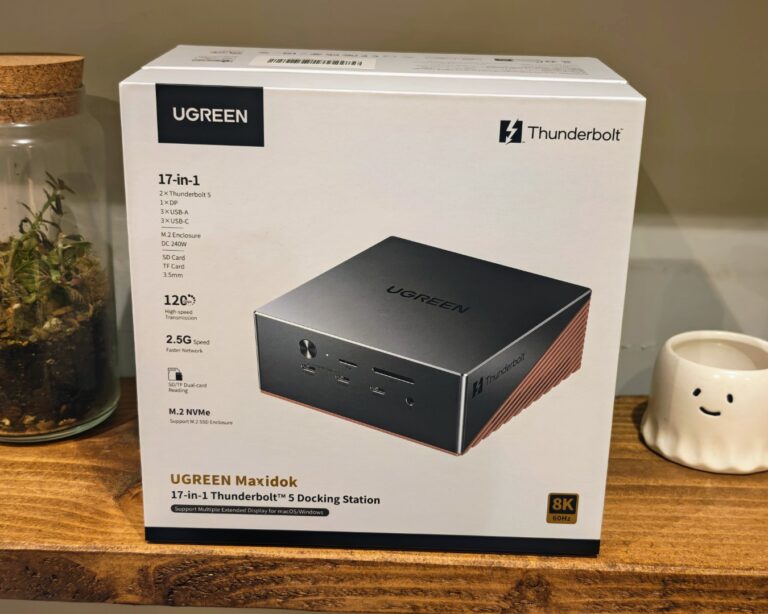
The 17-in-1 model covers most connectivity needs. It has 2 Thunderbolt 5 downstream ports, 1 DisplayPort, 3 USB-C (10Gbps) on the front, 3 USB-A (10Gbps) on the rear, 2.5GbE Ethernet, SD and microSD card readers running at full speed, 3 audio jacks, and the M.2 NVMe slot. The power adaptor is 240W and delivers up to 140W to the host laptop – enough to charge a MacBook Pro at full speed, and one of the few Windows laptops that currently supports 140W input is the HP Omen Transcend 14.
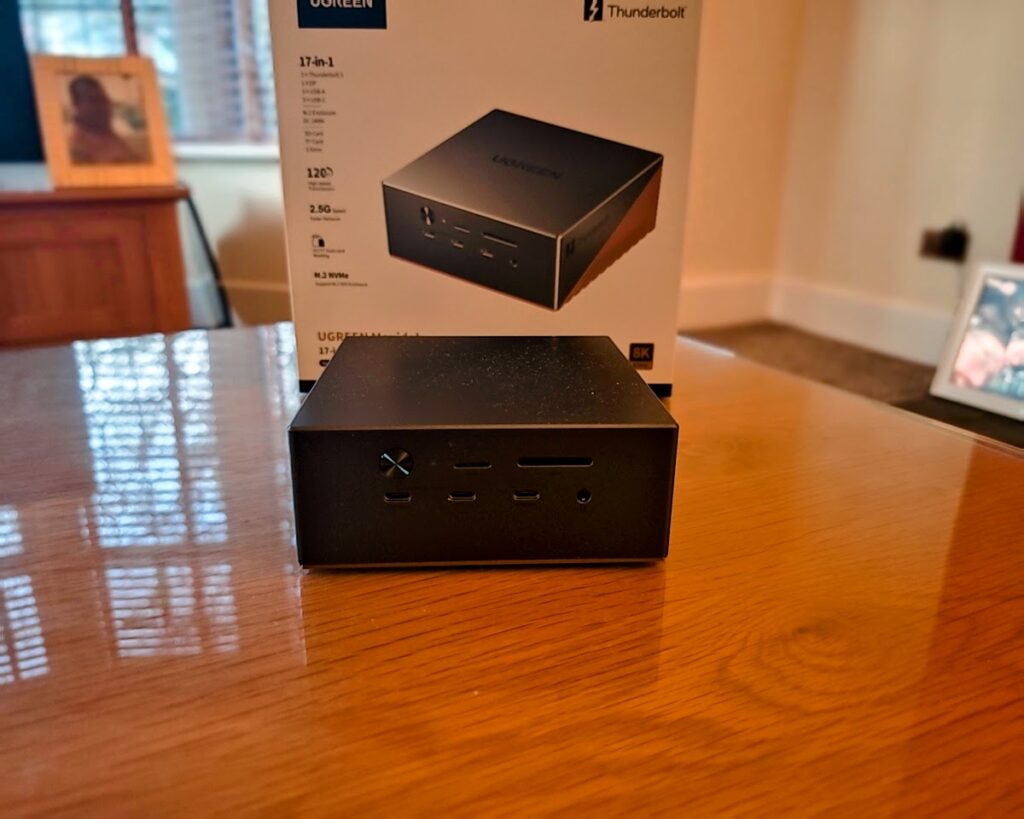
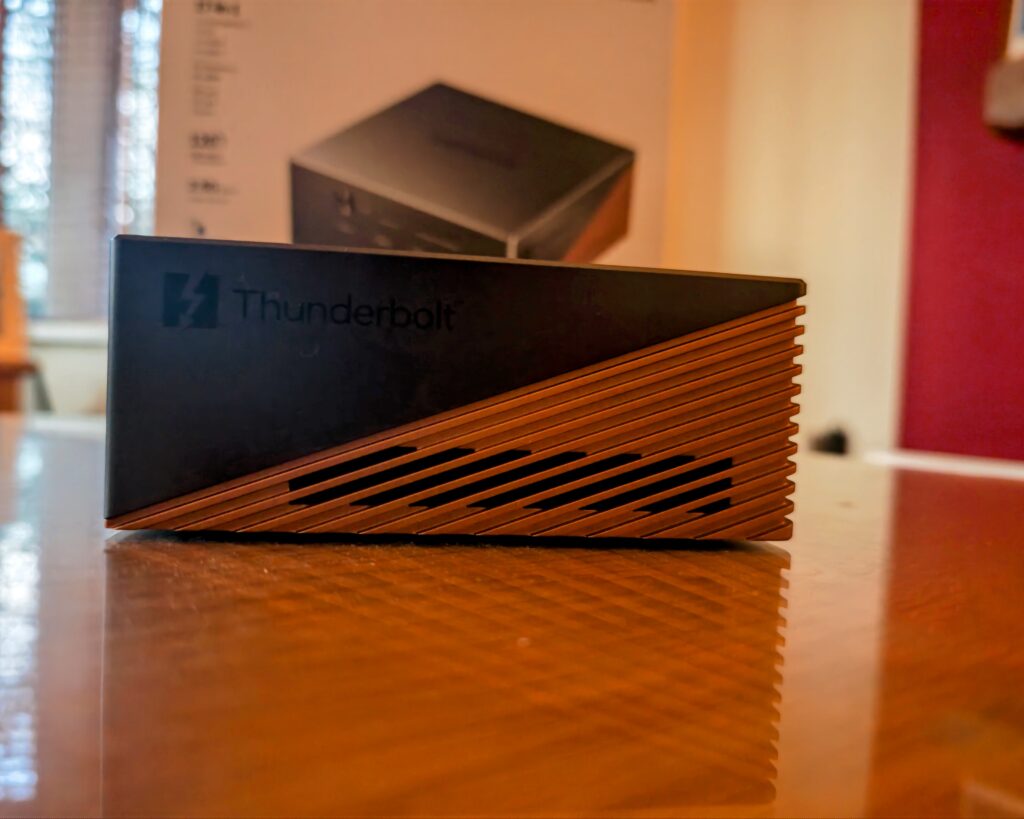
The chassis is metal, heavy, and feels built to last. The two-tone design splits the dock into a grey front section and a copper-colored rear with a finned pattern that handles passive cooling. It does get warm under sustained load, but never uncomfortable to touch. The M.2 slot is accessed from the underside via a removable cover that incorporates a passive heatsink – a sensible design choice given how hot NVMe drives can run during extended write operations.
One layout complaint worth flagging: all three USB-A ports are on the rear, meaning you will be reaching around the back every time you want to plug in a flash drive or USB receiver. Mixing at least one USB-A to the front would have been more practical.
M.2 NVMe Enclosure
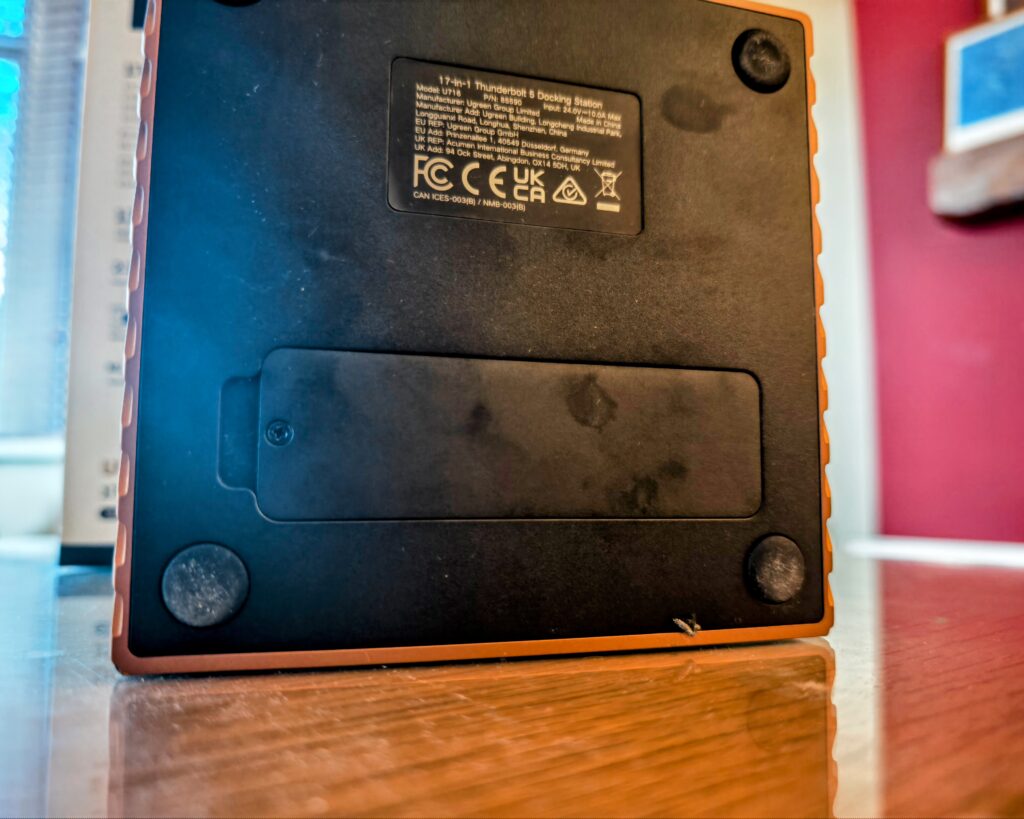
This is the standout feature and one of the primary reasons to choose the 17-in-1 over cheaper alternatives. The slot supports PCIe Gen4 x4 NVMe drives up to 8TB. For laptop users who are typically limited to a single internal M.2 slot, being able to slot an NVMe drive directly into the dock adds meaningful high-speed storage without adding another box to the desk.
Performance through the Thunderbolt 5 interface will not match what a Gen4 drive achieves on a motherboard’s M.2 slot, but it substantially outpaces any USB 3.2 Gen 2 external drive. For video editing scratch disks, large file transfers, or Time Machine backups, it is a genuinely useful addition. It is also worth noting that the CalDigit TS5 Plus – the closest premium competitor – does not offer an M.2 slot at all. If built-in NVMe storage matters to you, the Ugreen is one of very few TB5 docks that provides it.
Display Support
The Maxidok supports a maximum of dual 6K at 60Hz, or a single 8K at 60Hz. Display outputs come from the single DisplayPort connector and the two TB5 downstream ports. If your monitors do not support USB-C input, you will need adapters for the TB5 ports, which adds a small extra cost and is a minor inconvenience compared to docks that offer dedicated HDMI outputs.
The dual-display limit is the most significant compromise in this dock. The Startech TB5 dock I reviewed supports triple 4K at 144Hz via dedicated HDMI, DisplayPort, and USB-C outputs. The CalDigit TS5 Plus also handles triple 4K 144Hz on compatible Windows systems. For Mac users this matters less – macOS caps external displays at two through a single Thunderbolt connection regardless of the dock – but Windows users who need three monitors should look elsewhere. For the majority of setups, dual monitors is sufficient, and many Intel laptop CPUs do not even support more than two external displays.
USB, Ethernet, and Power
All six USB ports run at 10Gbps (USB 3.2 Gen 2), which is adequate for the vast majority of peripherals and external drives. In testing, you can expect around 900 to 1000 MB/s from a connected SSD. Like most docking stations, all six ports share a single USB controller, so saturating multiple ports simultaneously with high-speed storage will reduce per-port throughput. The CalDigit TS5 Plus addresses this with a dual-controller design, though it costs considerably more.
The 2.5GbE Ethernet performs as expected, with real-world throughput around 2.3 to 2.4 Gbps once USB overhead is factored in. For home and office use, and particularly for users with a 2.5GbE switch and NAS on their network, this is a solid step up from the gigabit Ethernet found on cheaper docks. The CalDigit TS5 Plus does offer 10GbE, which is four times faster on wired networking and meaningful for video editors or anyone doing regular large transfers over a local network, but it costs £470 compared to the Ugreen’s £420 RRP.
Power delivery is well handled. The 240W adaptor provides 140W to the host and leaves 100W for downstream devices. Two of the USB-C ports can deliver up to 60W each, and the TB5 downstream ports provide 15W each – enough for portable monitors but not for fast-charging phones or demanding bus-powered peripherals. The CalDigit provides 36W per TB5 port, which is a meaningful difference if you rely on TB5-connected accessories. The power brick itself is large, as you would expect from a 240W unit. The Startech TB5 dock manages the same 140W host charging from a smaller 180W adaptor by offering fewer downstream charging options, so there is a real trade-off here depending on your priorities.
Pricing and Alternatives
The Maxidok 17-in-1 has an RRP of £420, with an early bird pre-order price of £357 including a TB5 cable. At the discounted price it sits in a reasonable position for the feature set on offer. At full RRP it starts to feel harder to justify, particularly given the competition.
The Startech TB5 dock is available for around £238 and includes triple display support, which is a notable advantage. It lacks the M.2 slot, the extra USB-C ports, and multi-gig Ethernet, but for users who do not need those features, the £120 saving is significant. The Anker Prime TB5 Docking Station has dropped from its original £400 to around £300 and is a solid dock, but it is broadly in the same functional tier as the Startech without offering the Ugreen’s differentiating features. The Wavelink TB5 dock and Kensington SD5000T5 EQ are both around £300 and well reviewed. The CalDigit TS5 Plus at £470 offers 10GbE and triple display support but costs more and lacks the NVMe slot.
The Ugreen Revodok Max TB5 dock launched at £380 and has since dropped to around £280. User reviews for that model have been notably negative, which is unusual for Ugreen – every other Ugreen dock I have tested has performed well.
Verdict
The Maxidok 17-in-1 is a well-built, feature-rich Thunderbolt 5 dock that earns a strong recommendation for the right user. The M.2 NVMe slot is a genuine differentiator, the port count is generous, the 140W host charging covers even the most demanding laptops, and build quality is excellent throughout.
The dual-display limit is a real constraint and the one area where the Maxidok trails its competition. The 2.5GbE Ethernet is adequate but not exceptional, the 15W TB5 downstream charging is modest, and the absence of any HDMI output means adapter purchases are likely. None of these are dealbreakers, but they are worth knowing before committing.
If you have paid a premium for a Thunderbolt 5 laptop and need maximum expandability – particularly if the built-in NVMe enclosure fits your workflow – the Maxidok 17-in-1 is one of the most capable TB5 docks available. If triple display support or 10GbE networking is a priority, the CalDigit TS5 Plus or Startech are better fits depending on your budget.
Ugreen Maxidok 17-in-1 Thunderbolt 5 Docking Station Review
-
Overall - 80%
80%
Summary
The Ugreen Maxidok 17-in-1 carves a unique niche in the Thunderbolt 5 market with its integrated NVMe slot, offering exceptional value for users needing high-speed expansion without desktop clutter. While its dual-display limit holds it back from being a universal recommendation, its robust build, generous port selection, and 140W charging make it a top contender for the right buyer, especially at its early-bird price.
Pros
-
Innovative built-in NVMe slot
-
Excellent 140W host charging
-
Generous port selection
-
Solid metal build quality
Cons